
Skip to content
EdgeBookLog inJoin the beta
Plan & Trade

Write the plan before the market opens.
Lock it before the entry.

Weekly Plan, Tactical Center, Market Watch and the calculator: everything before and during the trade, in one place.

Example data
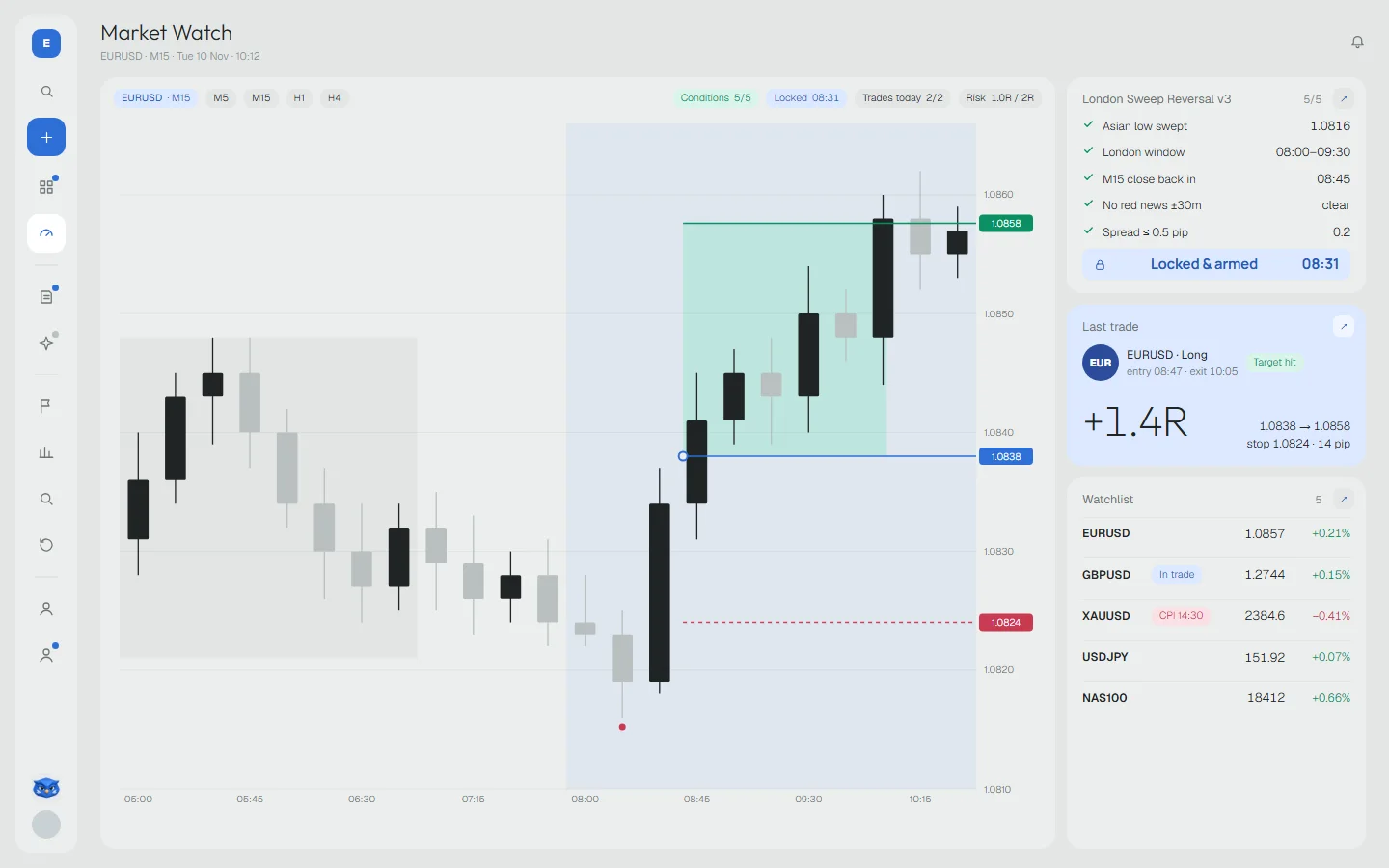
Market Watch: the 08:31 EURUSD plan on the chart, its conditions met, Locked & armed
Market Watch · the 08:31 plan on the EURUSD chart

Weekly Plan

One line per pair, before the week starts.

On Sunday you write the direction for each pair, the level and the one 'unless' that cancels it. Fill it from Market Watch in one click, and start from last week's lesson.

  • Buy, Sell or Wait per pair, with an 'unless' condition
  • Your focus rule for the week, from your contracts
  • The weekly risk budget from your Risk Rules

In euro · Weekly limit 5R at €100 per R = €500. Daily 2R = €200.
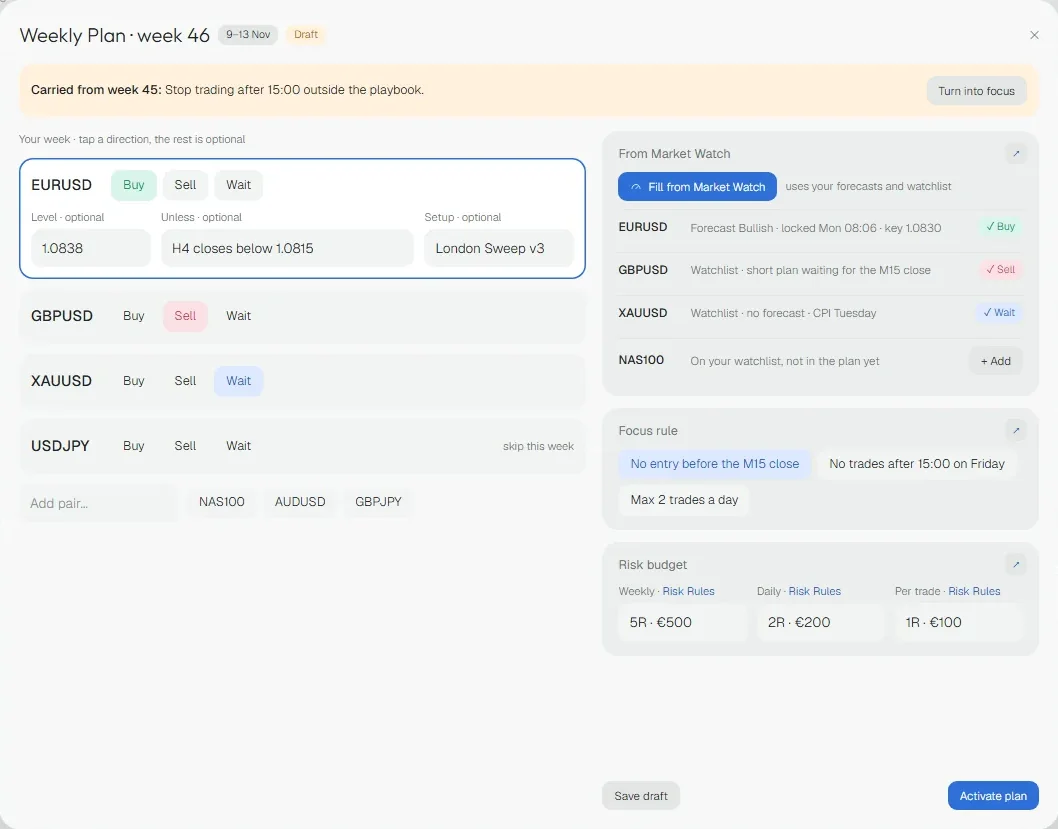
Where: Tactical Center › Weekly Plan

Example data
Weekly Plan: one line per pair for the week

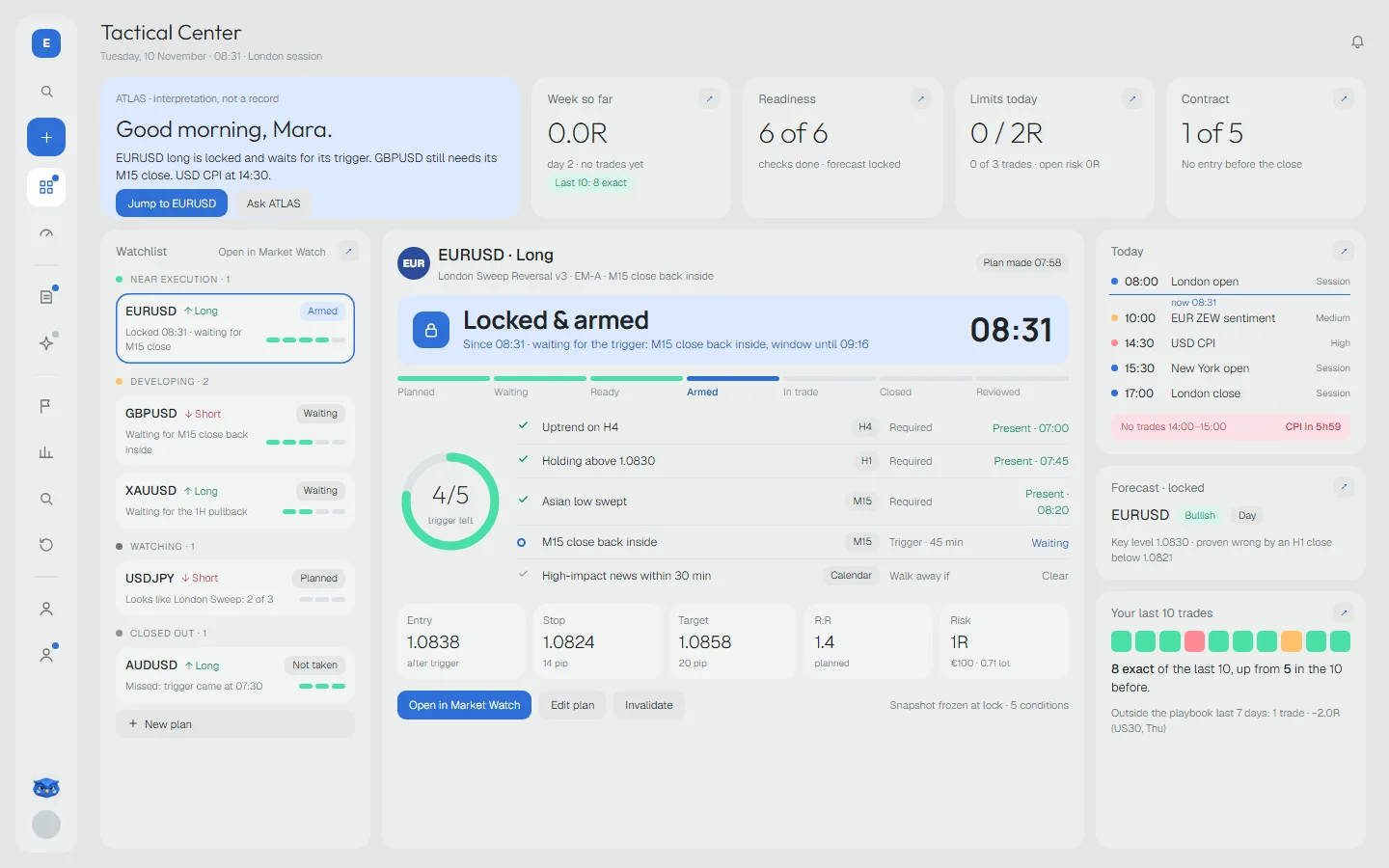
Tactical Center

Locked & armed, before the entry.

Every idea becomes a plan with the conditions of its setup. They tick themselves as the market gets there. When all are met, Lock & Arm freezes the plan with its time, so a good result can never rewrite a bad decision.

  • Conditions per setup, each with its timeframe and time
  • Lock & Arm freezes the plan; EdgeBook never places the order
  • Today's timeline: sessions, news and no-trade windows

In euro · Plan locked at 08:31, filled at 08:47, closed at 10:05: +1.4R = €140 on a €100 risk, Exact.

Where: Tactical Center › Today

Example data
Tactical Center: EURUSD long locked and armed at 08:31

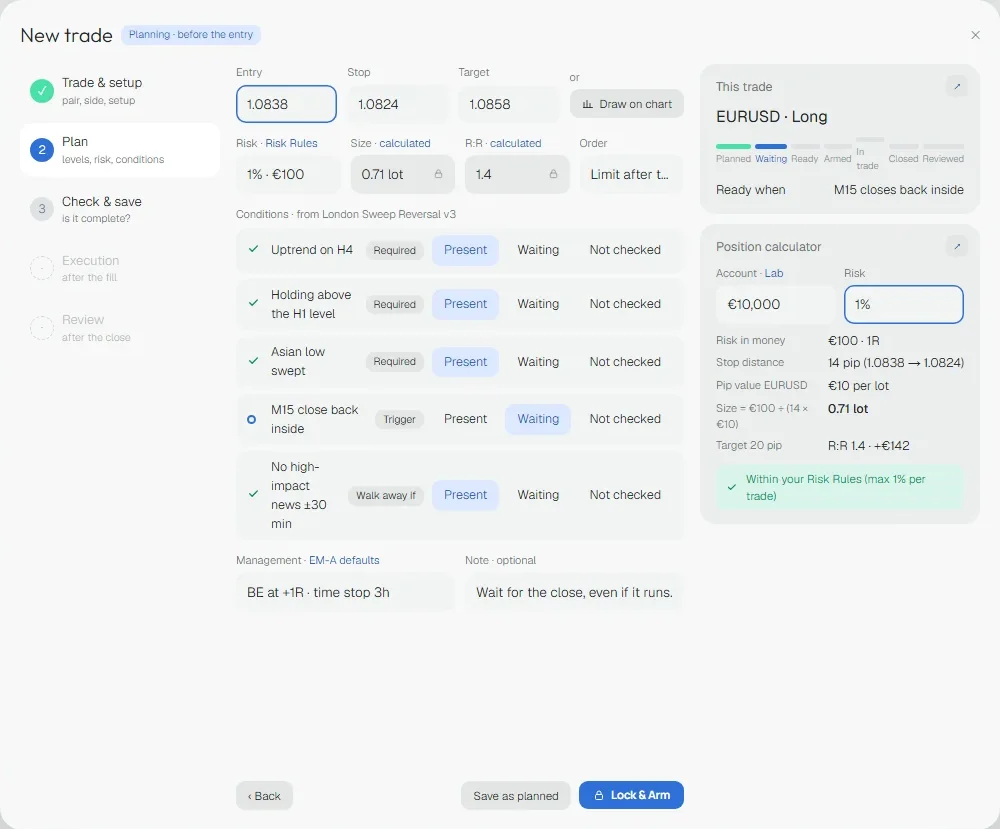
Position size

The size, calculated on the stop you drew.

Enter or draw entry and stop; the calculator turns your risk per trade into a lot size and checks it against your Risk Rules before you can save.

  • Risk in money and in R, next to each other
  • Pip value per pair, in your account currency
  • A warning before a size breaks your rules

In euro · 1% of €10,000 = €100. A 14-pip stop on EURUSD at €10 per pip per lot → 0.71 lot.

Where: Log trade › Plan

Example data
Log trade: the position size calculator

Market Watch

Your plan on a live chart.

The plan's entry, stop and target sit on the chart, the conditions turn true one by one, and the last trade is right next to it.

  • Entry, stop and target drawn from the plan
  • Conditions with the time they were met
  • Watchlist with what each pair is waiting for

Where: Market Watch

Example data
Market Watch with the plan on the chart

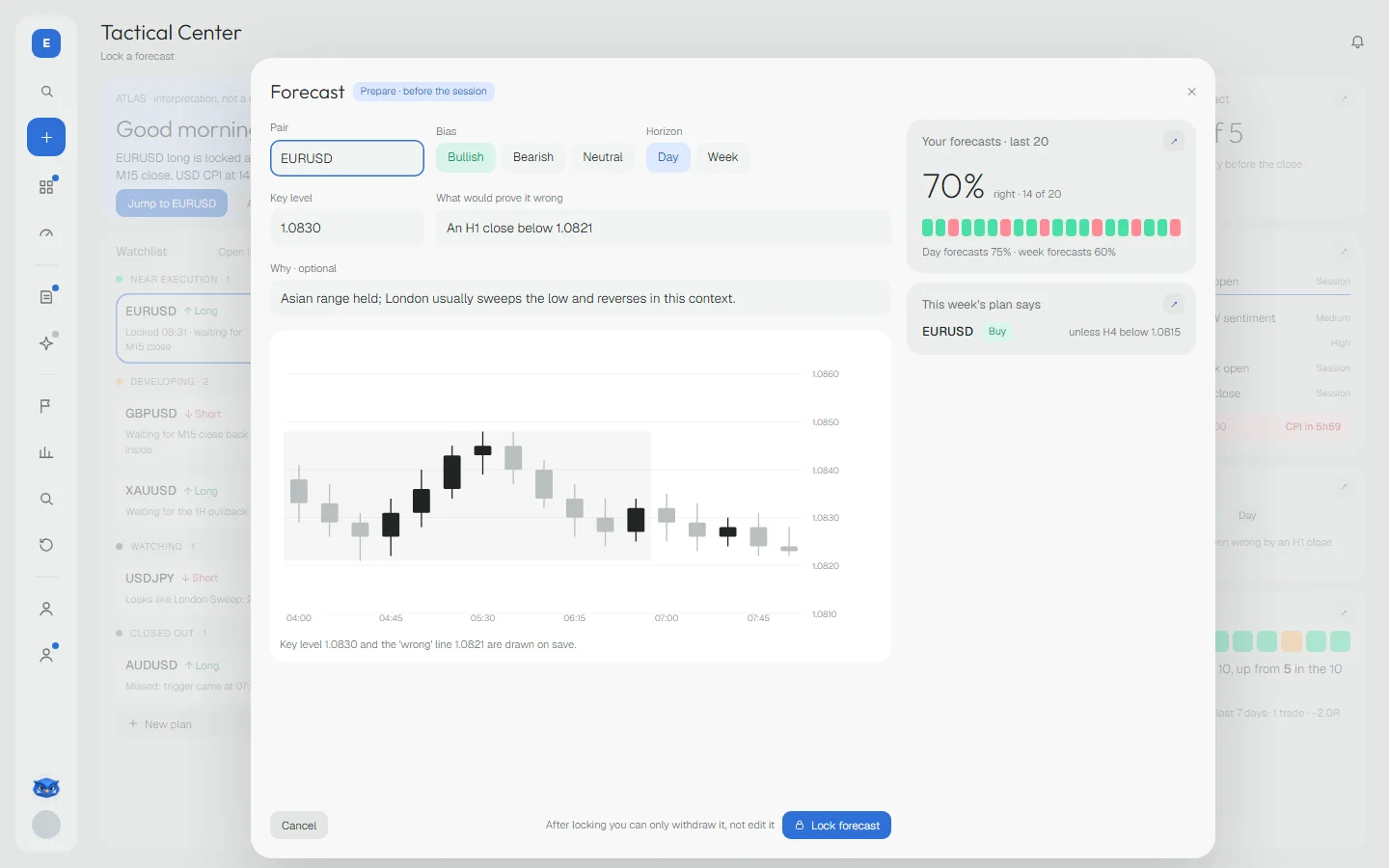
Forecast

Say what you expect, before the session.

Before the session you record the bias, the key level and what would prove you wrong. It is locked with a time, so you cannot rewrite it after the move.

  • Bias, key level and the 'proven wrong' line
  • Locked before the session; it can only be withdrawn, not edited
  • On the Tactical Center next to the day's plans

Where: Tactical Center › Forecast

Example data
The forecast card, locked before the session

What Plan & Trade does not do

  • No signals and no trade calls
  • No orders: Lock & Arm freezes your plan, you place the trade
  • No auto-trading, ever

Next in the loop

JournalEvery trade next to the plan it came from.The trade you planned here lands in the Journal with its match: Exact, Modified or Outside.See Journal →

Plan your first trade.

Write one line for the week, lock one plan, and see it land in your journal.